Monte Carlo Simulation Tool
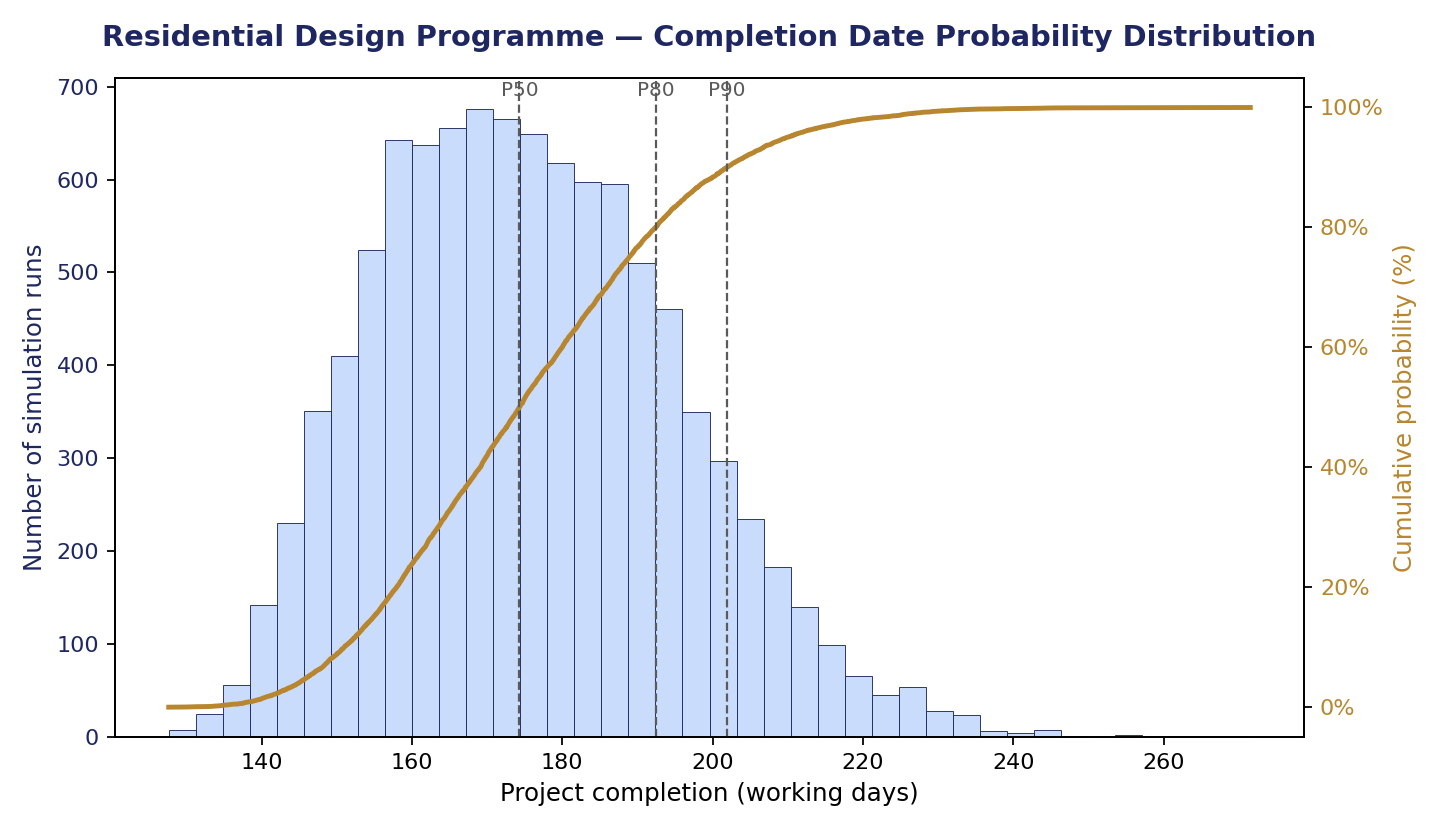
This tool runs a 50,000-iteration Monte Carlo simulation on your project's activities and risk register, forecasting realistic completion dates (P50/P80/P90) instead of a single optimistic estimate.
It identifies which activities most drive schedule risk via a tornado diagram, auto-rates risks, and generates a printable, client-ready report that helps construction professionals set defensible deadlines and prioritise mitigation where it matters most.
You can modify, delete or add new activities and risks and adjust all figures related to them and run the simulation for your own specific project; finally, you can print the report.
Your entries in this tool (project information, activities, and risk register) are saved automatically, but only in this browser, on this device. They are not stored on our servers or tied to your account.
This means your saved data can be lost if you clear your browser's cookies/site data, switch to a different browser or device, or use private/incognito browsing.
To keep a permanent copy of your work: once you've run a simulation, use the "🖨 Print / Export Professional Report" button inside the tool to save a PDF of your project information, activities, risk register, and results. We recommend doing this regularly, and especially before closing your browser or switching devices.
Schedule Risk Monte Carlo Simulation
Activity durations + risk register → project completion probability
- Activities table: enter each activity's unique #, its Name, its Predecessor(s) (comma-separated activity numbers, leave blank if it's the first activity), and three duration estimates in days — O (optimistic), ML (most likely), P (pessimistic). These three feed a triangular distribution for that activity's duration.
- Risks table: enter a Risk ID, Risk Name, a Likelihood label (just descriptive text), the Probability (0–100%) the risk occurs, the Impact Min/Max (extra days added if it happens), which activities it Affects (comma-separated activity numbers), and a Rating label.
- Use the + Add Row / ✕ buttons to add or remove rows in either table.
- Click Run Simulation to run 50,000 iterations. Each iteration samples a random duration for every activity, randomly decides which risks occur (based on their probability) and adds their impact to the activities they affect, then calculates the total project duration through the schedule logic (predecessors). The result is a distribution of possible project durations.
| # | Activity Name | Predecessor(s) | O | ML | P |
|---|
| ID | Risk Name | Likelihood | Prob. % | Impact Min | Impact Max | Affects | Rating |
|---|